
Recent review
View reviewsNo reviews yet.

told yall I have a lot in mind. This is just the start. Get KIRA now while its only $25 to own for life. all future updates included.
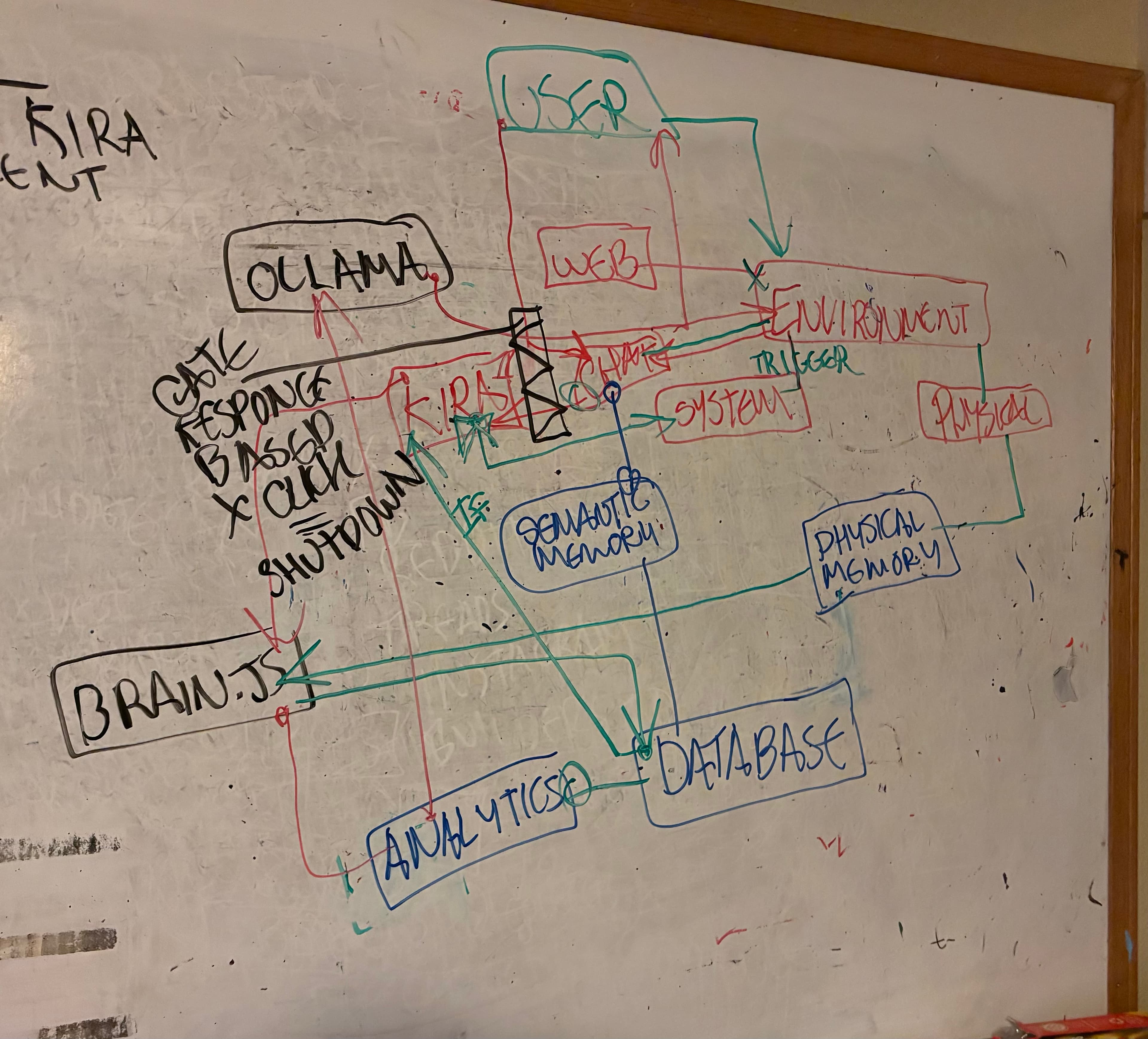
Here's a complete inventory of everything built in Kira 5.0: 3 Main Modes
Explorer (Ctrl+B), Search (Ctrl+Shift+F), Source Control (Ctrl+Shift+G), KIRA Chat (Ctrl+Shift+K) 3 Auxiliary Agent buttons: Claude (CLD), ChatGPT (GPT), Gemini (GEM) Mode switcher button KIRA Chat Panel (in Code Mode)
Backend connection status indicator + Restart Backend button Toolbar buttons: New Chat, Help, Status, Models, Usage, Test, Git, Search, Web, Auto (Autonomous Mode), War Room, Clear, Learn, Wipe Streaming responses, code blocks with syntax highlighting, markdown rendering Image drag-and-drop upload, webcam (snap + tracking mode at 3s/5s/10s/15s intervals), screen capture Voice input + TTS buttons Stop button during streaming Auxiliary Agent Panels (Claude, ChatGPT, Gemini)
Independent message histories per agent Real-time streaming display Availability indicators + model display Separate input areas per agent All aux agents get full tool access (same tools as KIRA) Multi-Provider LLM Backend
ProviderDefault ModelAlso AvailableKIRA Brain (Ollama, offline)llama3:latestllama3.2-vision, nomic-embed-textClaudeclaude-haiku-4-5claude-sonnet-4-5, claude-opus-4-6ChatGPTgpt-4o-minigpt-4.1-mini, gpt-4o, gpt-4.1, o3-miniGeminigemini-2.0-flashgemini-2.5-flash, gemini-2.5-pro Runtime model switching, per-model pricing database, tier classification (cheap/mid/premium) Daily budget caps per provider ($2 Claude, $1 OpenAI, unlimited Gemini) Budget warnings at 75% threshold, token usage tracking Tools Available to All Agents
File ops: read_file, write_file, edit_lines, create_directory, list_files Terminal: run_command (async, 120s timeout, blocked command filtering) Search: search_files (ripgrep-based, regex, ignores node_modules/.git) Git: git_status, git_diff, git_commit, git_log Web: web_search (DuckDuckGo), web_fetch, web_browse (search + read top 3) Testing: run_tests (auto-detects pytest/jest/mocha/cargo/go) Media: generate_image (Stable Diffusion + DALL-E fallback), generate_video (ffmpeg), generate_diagram (Mermaid) Advanced Modes
Autonomous Mode Goal-driven self-directed work (up to 25 steps) Self-evaluates progress with STATUS markers (CONTINUE, DONE, BLOCKED) Step-by-step progress UI War Room Sends problem to ALL agents simultaneously (KIRA + Claude + ChatGPT + Gemini) Concurrent execution, KIRA synthesizes the best answer from all responses Error Watcher Toggle button (EW) on terminal header Auto-detects terminal errors via regex patterns Captures error context, sends to KIRA for auto-diagnosis and fix Slash Commands
/mode, /status, /clear, /test, /search, /grep, /git, /web, /browse, /learn, /model, /models, /usage, /help Persistent Memory & Database (SQLite — kiradex.db)
All data persists on disk across sessions indefinitely. Nothing is wiped automatically. conversations — all user/assistant messages stored permanently, session_id for organizational grouping, timestamped knowledge_blocks — deduplicated by content hash, importance scoring, access counting, categorical tagging memory_records — reinforcement scoring, success/failure tracking, avoid markers, categorical tagging vec_knowledge / vec_records — 768-dimensional semantic embeddings (nomic-embed-text) for similarity search knowledge_fts / records_fts — full-text search indexes agent_state — persistent key-value store for agent state schema_version — migration tracking Wipe Memory is the only way to clear data (12h, 24h, 48h, or all) Other Features
License system — activation, validation, offline grace period Webcam tracking — continuous capture at configurable intervals Screen analysis — vision model analyzes screenshots with custom prompts Keyboard shortcuts — Ctrl+B, Ctrl+`, Ctrl+Shift+K, Ctrl+S, Ctrl+P, Ctrl+N, Ctrl+Shift+P Resizable sidebar and terminal (drag handles) Dark theme UI (#1e1e1e) WebSocket server on port 7855, multi-client support, 50MB message limit for images Python backend auto-launch — Electron spawns and manages the Python process, port conflict resolution, graceful shutdown
No reviews yet.
No comments yet.
3mo ago
No reviews yet. The builder hasn’t opened a review request yet.
Comments
to leave a comment