
Recent review
View reviewsNo reviews yet.
Preview, Organize, and Manage Block Patterns on Your WordPress Site
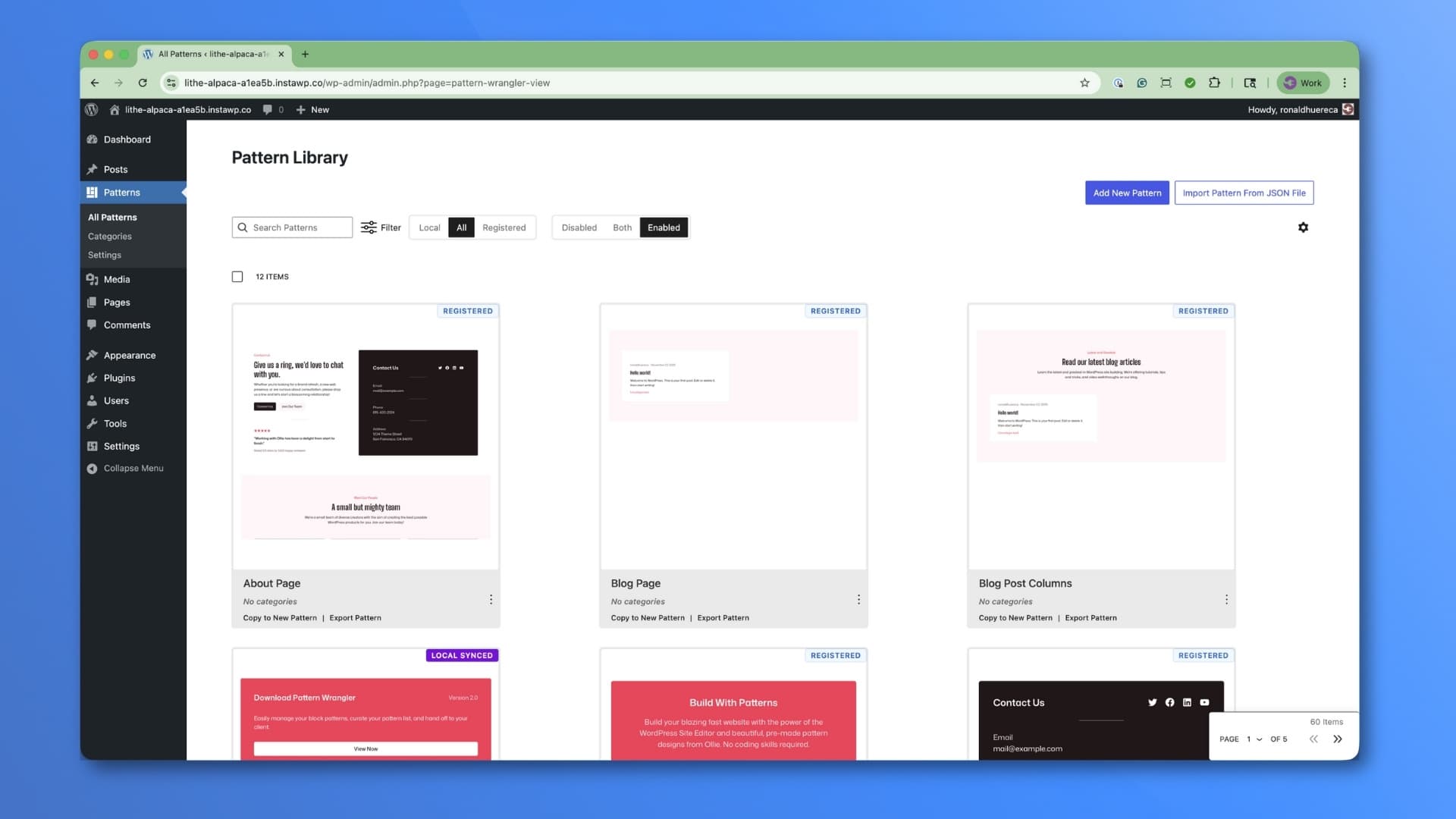
Pattern Wrangler makes managing WordPress block patterns easy, and is designed for both hybrid classic/block themes, block themes, and is compatible with most page builders through its shortcode support. Pattern Wrangler allows you to curate the pattern experience for your clients, controlling down to the pattern what the client sees in the block editor.
Here are the major features:
New Patterns Screen – A new Patterns screen now shows at a glance all of the patterns available for your site. You can sort through both local and registered patterns, and selectively disable or enable whatever patterns you’d like your client to see. A real-time preview is available by clicking on the pattern.
Hide All Patterns – Completely hide patterns from the block editor in one click. This also hides the Patterns menu item. Selective Hiding – Hide core, remote, theme, or plugin patterns while keeping your custom patterns visible. You can also hide synced and unsynced patterns together or separately. If you need to hide WooCommerce patterns, you can do so by hiding all plugin patterns, or using the Patterns View to disable the patterns individually.
Category Management – Disable, map, and rename registered categories from themes and plugins for better organization. This will help you keep local and registered patterns organized together. For example, you’d like to create a “Call to Action” category for a local pattern, but a registered category already exists, do you have a duplicate in the patterns view. In this case, map the registered category to the local one and remove the duplicate.
Output Patterns Anywhere – Use a shortcode or PHP function to display local patterns in page builders, widgets, your theme, or in other blocks. This works well in Multisite and allows you to use synced patterns across the network.
Pattern Preview – Preview a pattern on the frontend with shortcuts in the block editor.
No reviews yet.
No comments yet.
Granted at least 300 are mine (jk), but it’s nice to see it growing.
4mo ago
I released version 2.4 of Pattern Wrangler. The UI has been cleaned up, and I added compatibility with several WordPress plugins.
4mo ago
With a brand new Patterns View, this version is a game changer for pattern management.
8mo ago
Initial release.
2y ago
Upvote and review this project
Sign up free to upvote, leave a review, and comment on what builders are shipping.




Joined by 1,474+ builders
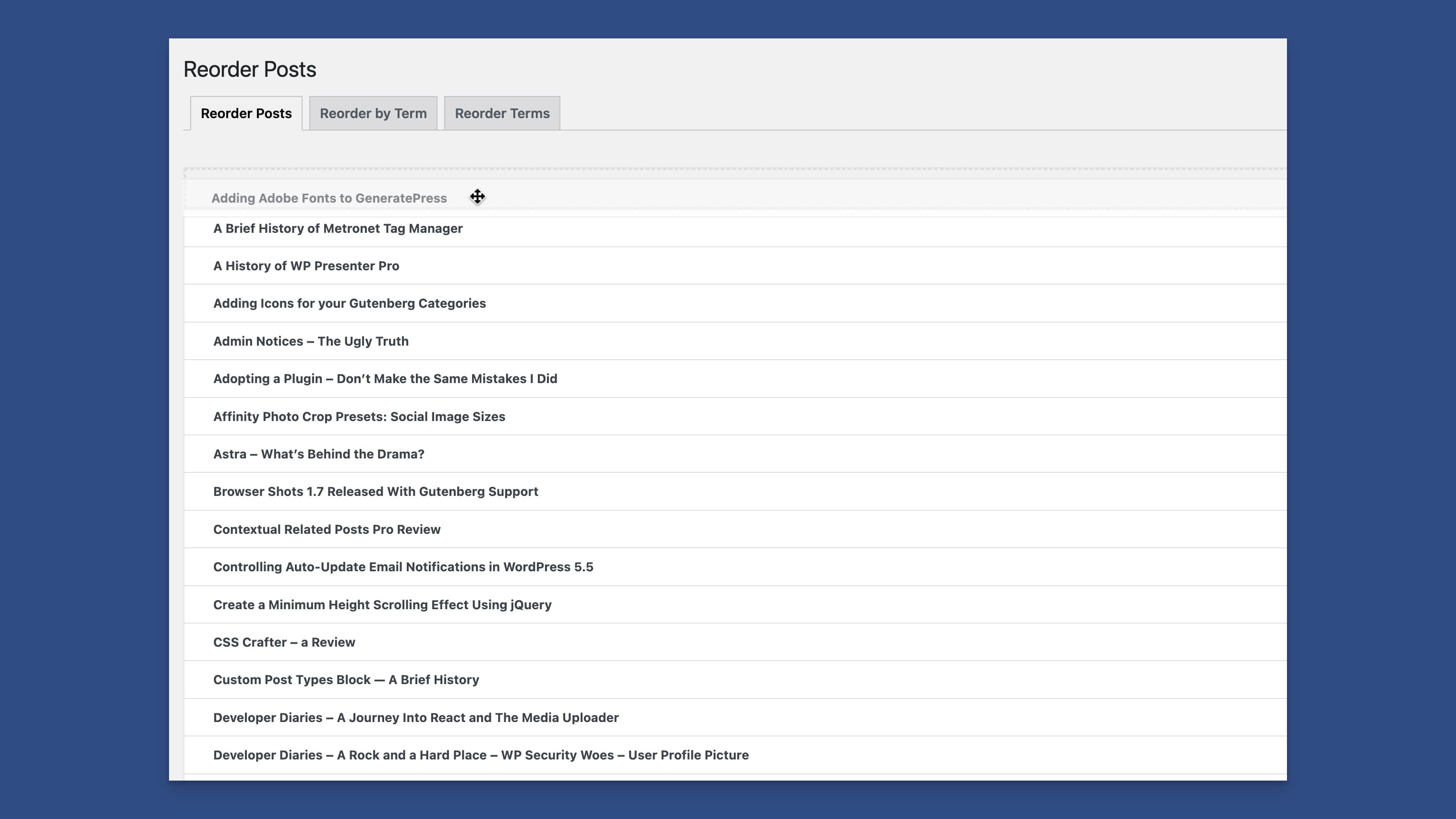
Reorder WordPress post types, users, categories, and posts within categories.
Reviews
No reviews yet. The builder hasn’t opened a review request yet.